Right-to-left override attack
A right-to-left override (RTLO) attack can mask filtypes by seemingly
changing the file extension of an executable file to, e.g., a pdf-file.
Right-to-left is the unicode character U+202E. The intention of this character is to change the direction of a text. This is used, e.g., for languages that are written from right-to-left.
This character can however also be used to disguise file extensions. In the following post I will detail the attack and how to mitigate it.
1.) Write an executable program
I wrote a simple C program in CodeBlocks.
#include <stdio.h>
int main()
{
printf("You have been hacked :(\n");
sleep(100);
return 0;
}
2.) Change the icon
Before we begin the RTLO we can also change the icon of the executable to make it look like a PDF file.
For this purpose you can get the PDF-icon, e.g., from flaticon and convert it to an ICO-file on Convertio and call the resulting file pdf-file.ico.
To change the icon of your executable we can follow the answer given in this StackOverflow post. You have to put the .ico file into the same folder as your .c file.
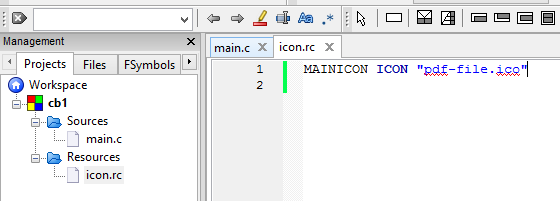
Within CodeBlocks you can now create a new empty file, name it, e.g., icon.rs (this should put it in a newly created Resources-folder) and enter the following code:
MAINICON ICON "pdf-file.ico"
It should look like this:
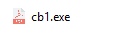
After compilation the program should now look like a PDF file.
3.) Rename the file using RTLO
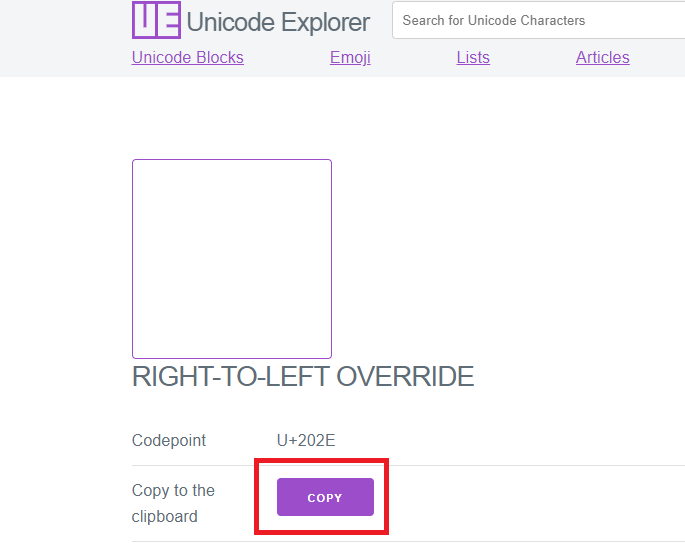
The easiest way to use the right-to-left unicode character is to copy it, e.g., from Unicode Explorer:
We want our resulting file be called lustige_hexe.pdf ("Lustige Hexe" is german for "funny witch").
To rename the file we have to stick to the following order of operations:
1.) Copy the RTL character into your clipboard
2.) Go into rename mode of your executable and remove the previous name including extension
3.) Write the beginning of the filename:
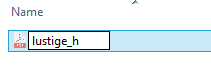
4.) Press CTRL+V to insert the RTL character
5.) Write "fdp.exe". The previously inserted RTL character will mirror the input:

If the victim would now double click on what seems to be a PDF, he would instead open the application. Luckily, our executable just pretends that a hack has occured.
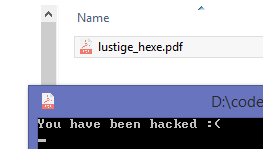
4.) Mitigation
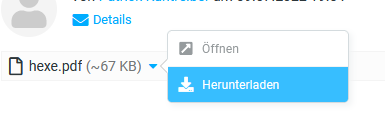
One would expect most e-mail clients detect and remove executables from e-mail attachments. However, I was able to send it via Thunderbird to myself:
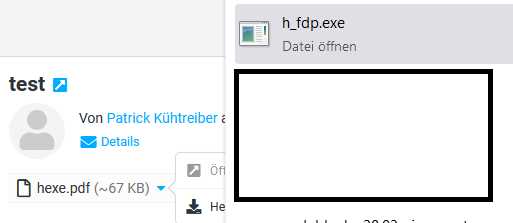
Luckily, Firefox removed the RTL character and shows that it is an executable file:
However, most attacks that try to distribute malware make use of encrypted ZIP archives to hide the executable from the e-mail client.
An example for this is a recent attack detailed on BleepingComputer.
Still, the operating system knows that it is an executable, and it will show that it is one, e.g., in the Windows Explorer.
Still, an unobservant victim could easily fall trap to this method which is why you should always tell people to never click on anything from someone they don't know.
-PK, 09.07.2022